The more streaming, gaming, and audio devices you add to your TV setup, the more remote controls you’ll inevitably have to manage. Eventually, it becomes too much. Your TV screen has its own remote to kick things off, and you might have a gaming console or streaming box with its own remotes. Add a Blu-ray player, turntable, or AV receiver to the mix, and you’ve doubled the number of remote controls in your setup already. If you have a particularly extravagant home theater or listening station, a CD player or a Chromecast could further convolute the experience.
The answer might seem like a universal remote — one device to control everything in your media room. However, finding a great universal remote solution is easier said than done in 2026. Many of the once-flagship universal remote brands, like Logitech and Sony, are no longer making new models. That forces those interested in a new universal remote to pay for uber-premium options, like the Sofabaton X1S universal remote, or cheaper and less-functional options, such as Best Buy’s Insignia universal remote. Complicating matters is the fact that your TV or AV receiver’s remote can probably be programmed to control some of the other devices in your setup, making you feel like you have a universal remote already.
I tried turning my JBL MA710 receiver into a universal remote, and also turned my OnePlus 13 into a virtual universal remote for good measure. Both ways, I ended up wishing I had stuck with my handful of individual remotes. Sometimes, universal and simple aren’t the same thing.
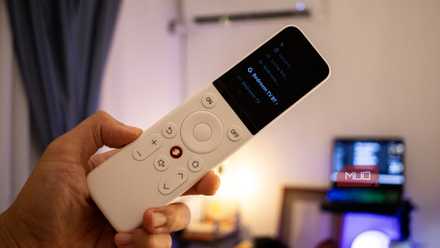
SwitchBot Universal Remote Review: The Last Remote You’ll Ever Need
This universal remote will literally rule them all.
Universal remotes aren’t always convenient
The time it takes to program and automate them could be better spent

The best universal remotes support multiple device connections, and multiple types of connection methods. Many media remotes use an IR blaster to communicate with the devices they are remotely controlling, but others use Bluetooth and Wi-Fi. Your TV or AV receiver’s remote likely supports controlling other devices with its IR blaster, usually through the HDMI CEC (Consumer Electronics Control) standard. Essentially, it allows your TV remote to seamlessly and automatically control devices connected to its HDMI port with little or no manual setup required.
Depending on your setup, the HDMI CEC feature might satisfy your “universal remote” needs. For it to work, the devices in your setup all need to support HDMI CEC. If you need to control non-HDMI inputs, you’ll need something a bit more powerful. A competent AV receiver might do the job — my JBL MA710 Dolby Atmos receiver has HDMI CEC and can also handle analog audio inputs, surround sound modes, and speaker control. Still, it lacks one thing universal remotes really need to be truly convenient: advanced programming support.
In other words, you want a universal remote to be able to control groups of devices at once. For example, I should be able to use a universal remote to create a shortcut that turns on my TV, Blu-ray player, and switches the receiver input with the press of a single button. I don’t want to have to switch between virtual remotes for each task, because that defeats the purpose of a universal solution. The problem is, there are very few affordable universal remotes left with this level of automation and programming support.
Chances are, you’re trying to use your TV remote or AV receiver remote to control everything in your setup, and these devices only offer the guise of convenience. When you try to turn off your streaming box to play video games and your TV screen goes black as well, you feel the frustration. Many universal remote solutions lack the precision of using individual remotes, which leads users to spend more time troubleshooting than actually watching shows and movies, listening to music, or playing games.

If your TV has Bluetooth, you need to install this free app
This app makes the TV experience so much smoother
Android phones are better universal remotes
If you have a phone with an IR blaster, you already have a great remote
A possible middle ground between relying on your TV or AV receiver remote and buying a pricey universal remote could be using an Android phone. Some Android phones still have built-in IR blasters, like OnePlus flagships. I used my OnePlus 13 as a universal remote with the Irplus app to control every component in my setup — including a five-disc CD changer from the 1990s — and the smartphone passed the test with flying colors. You might be able to find an old Android phone from Samsung, HTC, or LG in your junk drawer that could still serve as a universal remote in 2026.
Software-based universal remotes are excellent for trying everything in your setup together, assuming you have a phone with an IR blaster. However, they do come with some of the same downsides as universal remotes. Dedicated universal remotes are often criticized for having poor physical buttons or bad ergonomics, and a virtual Android remote app will be worse in these areas. They’re also not ideal for sharing. Unless you have a spare Android phone, no one wants to pass their phone around on movie night.
Despite trying my TV remore, JBL receiver remote, and OnePlus 13 as universal remotes, none ended up being a better experience than using component remotes individually.

- OS
-
Android
- Price model
-
Free (ad-supported)
irplus is a universal remote app for Android that uses a device’s inbuilt IR blaster to control a variety of device types. It’ll work with TVs, CD players, Blu-ray players, AV receivers, and other kinds of devices. It’s free with ads that don’t get in the way of controlling your favorite AV hardware.
Why I keep my remotes separate
Even if it means I have to manage a handful of them
Unless you have the time and money required to purchase an expensive universal remote, such as the Sofabaton X1S, you might be better off using individual remotes. Eventually, after weeks of using my JBL receiver remote and smartphone virtual remote as universal solutions, I turned off features like HDMI CEC and went back to basics. I have a pile of component remotes that each handle the task they are optimized for perfectly, and that’s better than a universal remote with software limitations and subpar ergonomics.
I now get why the universal remote industry is dying — HDMI CEC is great for most people already, and if it’s not good enough for your advanced setup, a universal remote might only make matters worse.

- Type
-
7.2 Dolby Atmos, DTS:X
- Bluetooth
-
Bluetooth 5.3, Low Energy
- Wi-Fi
-
Wi-Fi 5
- Amplifier
-
110W x 2ch @ 8ohms, 90W x 7ch @ 8ohms
- Connectivity
-
3 x HDMI 2.1, 3 x HDMI 2.0, 1x LAN
JBL’s MA710 is an AV receiver designed for home theater use with support for Dolby Atmos, DTS:X, and a maximum 8K video resolution. It includes six HDMI inputs and one HDMI output, plus five audio-only inputs. Whether you’re looking to build a Dolby Atmos audiophile listening station or a 7.2 surround sound home theater setup, this receiver can handle it all.
