When people talk about dangerous USB devices, they mean drives. We’re constantly reminded not to plug random, unknown USB drives into our computers, understandably. It could lead to a very bad time.
It’s good advice. But it’s also incomplete, because it leaves cables entirely off the threat list. And that’s exactly the assumption the O.MG Cable is built to exploit.

If you come across a USB drive like this, don’t let it near your PC
Don’t stick random USB drives in your hardware.
O.MG my computer is being hacked
And all because of a little cable
In short, the O.MG Cable is a regular, normal-looking USB cable with a secret: hidden inside is a hacking implant.
And guess who is behind the cable? The same company that produces the infamous USB Rubber Ducky, Hak5.
The O.MG Cable comes in all shapes and sizes, and looks like any other cable you’d expect to find at home: USB-A to Lightning, USB-A to USB-C, USB-C to USB-C, etc., are all there. Furthermore, you can plug it into your computer or smartphone and use it as a regular cable, too.

That’s because while the cable is “dormant,” it really is basically just a USB cable with regular USB functions, like data transfers, charging, and so on.
But when someone flips the switch and activates the hidden implant, the O.MG Cable can deploy preprogrammed code on the target device, all while it registers completely as normal.
Now, the O.MG Cable didn’t just start life as a random project in someone’s backyard shed. Well, not quite. It actually has its roots in a covert USB implant developed by the NSA, named COTTONMOUTH, which was first revealed in Edward Snowden’s enormous leaks.
But from use as a high-end spy tool, the idea of the implant did become a backyard shed idea, eventually culminating in the O.MG Cable that anyone can pick up for $150-180, depending on capabilities.
What’s inside the O.MG Cable?
How does it silently hack your device?
The implant is concealed entirely within the USB connector housing — not the cable itself, but the small plastic and metal plug at the active end. Inside is a wireless access point that allows remote access from at least 100 feet away. That’s enough range to operate from a car outside an office, a cafe across the street, or the floor below in a hotel.
What’s interesting is how the cable presents itself to target devices. When dormant, it registers as a USB cable, but when activated, it becomes a HID (Human Interface Device). That turns it from a cable into a keyboard, and is why the O.MG Cable can simulate keypresses, execute scripts, and even establish remote access.
As HID is effectively the protocol that makes keyboards and mice plug-and-play, most devices near-instantly accept and trust anything that identifies as one, mostly because that’s typically the case. The O.MG Cable specifically exploits that trust and turns it against the target device.
The cable’s chip packs in a huge range of attacks, mind. It uses Hak5’s DuckyScript to initiate custom payload attacks, and the Elite version can deliver up to 890 keystrokes per second (120k/s for the Basic version). It has hundreds of different payload slots, numerous keymaps for different machine types (with different keyboard layouts), a hardware keylogger, stealth modes, and even a self-destruct mode to make the cable look completely inert.
In that, it can attack a really broad spectrum of devices, even in “airgapped” situations where there is no Wi-Fi or Ethernet connectivity or otherwise. That’s a big reason why it’s so potent!
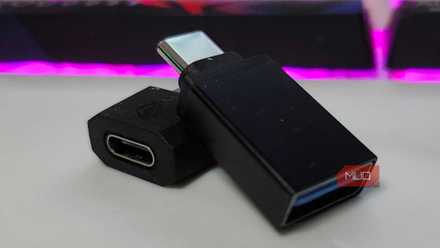
4 USB gadgets that every PC user should keep on hand at all times
You’ll never know when you’ll need them until you need them.
So, how do you stay safe against an O.MG Cable attack?
If you don’t know it’s coming, what do you do?
Targeted attacks — someone deliberately planting a cable on your desk — are the obvious scenario, and they happen. But the more realistic everyday risk is social engineering through abundance. Cables are the one piece of tech people share without thinking.
In that, the most straightforward rule to avoid a malicious USB cable hack is to only use cables you bought yourself. That’s the sure-fire way to be safe all the time. Now, if you’re being really cautious, you should probably never use a cable from a friend again… but that also seems extremely unlikely.
So, you could also buy a USB data blocker (sometimes referred to as a USB condom) to sit between the cable and your device and physically disconnects the data lines, allowing power through and nothing else. It should stop any HID attack as the cable can no longer present as a keyboard.
That said, it’s not entirely clear steering: data blockers have their own problems with counterfeit hardware, which can mean you don’t get any protection. But really, the same deal applies from finding a random USB drive to finding a USB cable. Just don’t plug it in.
