If you’re privacy-conscious or just want a faster connection, chances are you’ve already pointed your devices to Cloudflare’s 1.1.1.1 DNS. Cloudflare claims to be a privacy-focused and fast DNS server that’s miles better than your ISP’s sketchy default resolver.
But even after making this change, you’re still handing over your entire online life to a single company you don’t control. On the other hand, running your own DNS resolver at home has never been easier or cheaper. So if you were looking for reasons to ditch Cloudflare, I’ve got several.
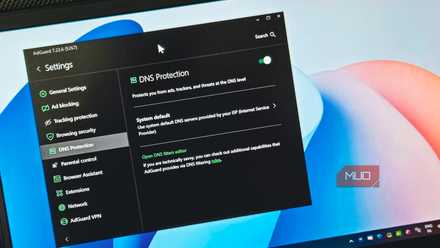
I didn’t know my ISP could see every website I visit until I checked this setting
Your ISP sees more than you think.
Your DNS reveals more than you realize
Every lookup is a data point someone else can see
Every time you type a URL into your browser, a DNS query fires off before anything loads. This query is essentially a timestamp-linked record of exactly which domain you tried to reach. Multiply that across every device on your home network—your phone, smart TV, laptop—and you’ve got a detailed map of your digital life.
Cloudflare claims it won’t sell your data to advertisers and that it deletes query logs within 25 hours. But an independent 2020 KPMG audit found that Cloudflare had been retaining up to 0.05% of all data packets passing through its network, including IP addresses. This wasn’t mentioned in Cloudflare’s privacy policy at the time, and the disclosures were promptly updated shortly after. However, this was enough to demonstrate that Cloudflare’s privacy guarantees were only as strong as the company’s willingness to honor them. And if there’s one thing we know about policies, it’s that they tend to change with little or no notice. When you run your own DNS server, you’re not trusting anyone’s policy except your own.
Even Cloudflare isn’t immune to outages
Why relying on one provider is still a risk

The risk of depending on a single centralized provider for something as critical as DNS is that if the service provider faces any issues, so will its clients. Cloudflare’s 1.1.1.1 resolver went down for 62 minutes globally in July 2025 due to a legacy BGP configuration error, and then again in November 2025, when a single database permission change triggered a four-hour outage that took major online services like ChatGPT, Spotify, Discord, X, and thousands more down with it. Another internal change in February 2026 caused over six hours of degraded service in February 2026.
If DNS breaks, nothing works, even if the underlying network is perfectly healthy. A self-hosted resolver running on a Raspberry Pi or your NAS isn’t going to suffer a global BGP issue. It’s your resolver, running on your network, and you alone are responsible for its uptime. On the flip side, you’re responsible for your own uptime, which requires power and network redundancy to be almost necessary.
Block everything at the network level
Ads, trackers, and malware stopped before they load

Browser extensions like uBlock Origin might help you block ads on websites you visit daily, but they’re limited to your desktop or laptop’s web browser. Your smart TV, gaming console, Android phone, and IoT devices don’t get any protection. When you run a self-hosted DNS server like Pi-hole or AdGuard Home, you block ad and tracker domains at the network level, before the request even leaves your router.
Setting up Pi-hole on your home network can make the internet feel like a completely different place. When a device asks for the IP address of an ad server, your DNS server just returns nothing, or a dead-end address. This means that the ad never loads and those pesky trackers never phones home. Public blocklist DNS services like NextDNS are decent alternatives, but they cap your monthly limits on free plans and limit the number of custom lists you can run. Self-hosted means no caps, no limits, and no costs.
Give your homelab real domain names
Clean, local URLs instead of messy IP addresses

One underrated perk of running your own DNS server is that you get to assign custom local DNS records. Instead of memorizing local IP addresses every time you want to access a NAS or media server, you can just type in a name like nas.local or media.server and access those services just the same.
Tools like Pi-hole and AdGuard Home both support DNS rewrites, letting you define your own naming structure for every device and service on your network. It’s a small quality-of-life upgrade that makes a big difference once you actually start using it, especially if you’ve got a packed home lab.
Finally see what your network is doing
Logs and insights you never get from public DNS

Running your own DNS server gives you a rather interesting dashboard that monitors your network. This includes everything from a real-time feed of every DNS query your network has made, which device made it, what domain was requested, and whether the request was blocked or allowed. This is exactly how I stopped my devices from phoning home, and how I blocked Google’s tracking domains at the router level to see what my seemingly idle Android phone was up to.
This is going to be the first time most people will get a true look at what their devices are actually up to in the background, and just how chatty a seemingly idle device can be. You’ll find your Android constantly phoning Google, your TV making dozens of requests to advertising analytics endpoints, and even your PC reaching out to Microsoft’s tracking infrastructure.
Cloudflare is good, but you can do better
Cloudflare is good at what it does. It’s easy to set up and rarely fails. But good enough shouldn’t be your standard, especially when there are better tools that do the job for free, all while being open-source and running on hardware you already own.
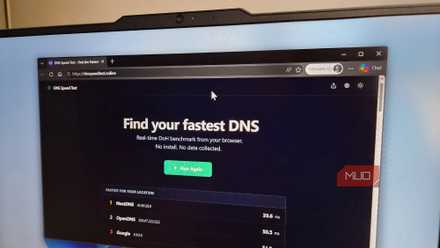
I ran a DNS speed test and Google’s 8.8.8.8 wasn’t even in the top two
The only way to find the fastest DNS is to test it yourself.
At the end of the day, nobody cares more about your network than you do. Cloudflare isn’t inherently evil, and 1.1.1.1 is objectively better than your router’s default resolver, but that’s a very low bar. With a self-hosted DNS server, you gain visibility, control, resilience, and real, measurable privacy benefits with very little ongoing maintenance.
