Widgets on Android are easily resizable (which you probably already knew), just as long as you tap and hold on a widget and drag the resize handles. But did you know that some widgets, especially from Google, add more functionality when you resize them and make them bigger? This is especially true of Google widgets, like in the case of the Gemini widget, which, once expanded, adds three additional buttons that conveniently let you screen share with Gemini, upload images or attach a file.
I’ve made a list of three widgets (that are also very useful) that are hiding extra features that reveal themselves if you just expand the widgets to a bigger size, and you probably already have these apps and widgets installed on your phone.
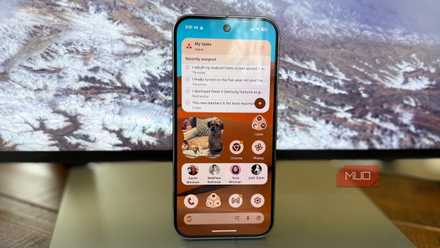
This 3-widget setup is the only Android home screen you need
Simplify your home screen with just the basics for a clean, functional look.
First things first

You probably already know how to do this, but it’s worth going over anyhow.
To add a widget to your Android homescreen, just tap and hold on an empty space, go to add widget, then select the widget you want by tapping and dragging it to your home screen.
Then, to resize any widget, tap and hold the widget until you get the resize handles. Now that we got that out of the way, let’s dive into the widgets.
Adds screen share, image upload, and file attachments

By default, when you add the Gemini widget to your home screen, you get just three buttons: Ask Gemini, Video share, and Voice. But when you expand the widget beyond its 2×2 default, another four buttons are revealed: gallery share (for uploading a photo), file share (for sharing a file), and screenshare (perhaps the most useful, where you can let Gemini see what’s on your screen so that you can ask questions to Gemini Voice). While you’re at it, give Gemini in Chrome a solid try. It might save you a ton of time. Let’s jump to a music widget that reveals more controls when you expand it.
YouTube music reveals a “Music Speed-Dial”
See and jump through your ten most recently played albums

We love YouTube music for several reasons, especially because it’s more economical than Spotify if you bundle it with YouTube premium, it treats millions of YouTube videos as songs, and it really excels at offering the best background music choices.
The YouTube Music widget on Android is great, but by default, the simple Now Playing widget offers simple play controls and album art. But if you expand the widget to a larger size, a fantastic “album speed dial” is revealed that shows you ten album covers of music you’ve recently listened to, so that you can easily jump back in to those albums. It’s especially beautiful on high resolution AMOLED screens like my Pixel 10 Pro here, which makes the album art really shine. If you use Google Keep for your notes, the widget adds superpowers when you make it larger.
Quick capture via voice or camera, add a checklist, draw a note

For many Android users, Google Keep is the default note-taking solution, though some have found alternatives like Fabric to be a bit better because it has improved organization.
But for the Google Keep faithful, there’s a fantastic Android widget that, by default, gives you quick access to your recent notes. If you resize the Google Keep widget to a bigger size, you will reveal extra functionality: the default Note Collection widget gives you a scrolling list of your recent notes, plus the ability to add a new note.
But if you expand the Google Keep widget to a larger size, you’ll reveal four buttons: start a note with a photo, begin a voice note, start a task list, and open the drawing tool. All of these additional buttons make it faster and easier to capture notes while on the go, whether you prefer audio, photo, task list, or drawing-based notes.
What other widgets add more functionality?

Since Google added resizable widgets over a decade ago, many apps have taken advantage of this new framework, especially Google apps. But you’d be surprised by how many of the widgets you use every day reveal additional functionality when they are made bigger. For example, the Google Calendar widget reveals a perfect month-view when you expand the agenda widget to a larger size. The Spotify widget, like the YouTube Music widget, expands to reveal multiple lines of album covers when you make it larger.

- OS
-
Android
- Developer
-
Google
Google Gemini is an AI assistant that can understand and generate text, images, code, and more. It’s designed to help people find information, solve problems, and create things more easily.
Let me ask you: what widgets are you running that offer more tools when you expand them?
