Buying a hub feels like the right first move. One device to manage everything, a single control point for your whole house. That logic made sense a decade ago. It mostly doesn’t anymore — and defaulting to it before you’ve figured out your ecosystem is one of the more expensive setup mistakes you can make. I built my current home setup without a dedicated hub, and it’s been more reliable than anything I’ve run before. What made the difference was picking a platform first, before buying a single device.
What “hub-free” actually means
The difference between a hub, a bridge, and an app
The terminology gets sloppy fast, so it helps to untangle it before anything else.
A hub is standalone hardware — something like a SmartThings hub or Hubitat controller — that manages device communication locally and handles multiple protocols. A bridge is narrower: protocol-specific hardware like the Philips Hue Bridge, built to translate Zigbee signals into something your router understands. An app is just software, controlling Wi-Fi devices through the cloud with no extra hardware involved.
For most of the 2010s, hubs were hard to avoid. Devices spoke incompatible languages and needed something to mediate. Wi-Fi modules got cheap, platform apps grew up, and the category mostly solved itself. You can run a solid smart home now with nothing installed except an app.
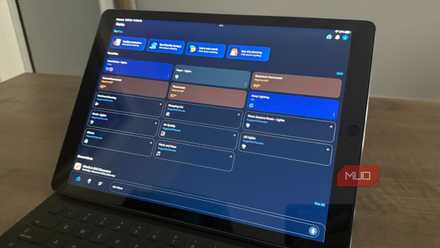
I turned my old tablet into a smart home dashboard, and it’s perfect
I use my 1st-gen iPad Pro as a smart home dashboard
Platforms that let you skip the hub entirely
Alexa, Google Home, and Matter all work without extra hardware
My setup runs mostly on Alexa. The myQ garage openers, smart switches, Ring cameras, and Amazon Smart Thermostat all landed in the app the same way — connect them to Wi-Fi, scan a code, and done. There’s no hub in the middle, no extra hardware sitting on a shelf. If you’ve been treating Alexa as a voice assistant and nothing more, there’s a lot of automation capability already available that doesn’t require buying anything new.
Google Home follows the same model for Android-first households — anything with Google Home compatibility shows up directly in the app, no middleman required. HomeKit breaks the pattern. Apple’s platform needs a Home hub for remote access and automations to work, which means an Apple TV or HomePod in the house. Most Apple households already own one, so it rarely adds cost, but the requirement exists either way.
Matter-certified hardware is worth watching. One device, three platforms — Alexa, Google Home, and HomeKit all recognize it simultaneously, none of them requiring a hub to do it. Selection is still building out, but the trajectory is there.
Where hub-free breaks down
Zigbee and Z-Wave devices still need a controller
Some categories are better served off Wi-Fi entirely. Zigbee and Z-Wave both run on dedicated frequency bands, clear of the 2.4GHz congestion that trips up cheap Wi-Fi devices in dense setups. The mesh behavior helps, too — signal improves as you add devices rather than degrading. For anyone who’s dealt with bulbs dropping offline or plugs going unresponsive, that distinction matters.
The tradeoff is a controller. Hue runs on Zigbee — the Bridge is its hub. Ring Alarm sensors speak Z-Wave, which is what the base station manages. I use both in my house, which technically means I have two protocol-specific controllers. Neither was a deliberate hub purchase — they came with products I already wanted, and each one handles a defined category rather than trying to run everything.
Thread works differently. Border routers for Thread are baked into 4th-generation Echo devices, Apple TV 4K, and HomePod mini — hardware that likely already exists in your home. Thread devices route through them automatically, no separate purchase required.
The practical upshot: stay in Wi-Fi and Matter territory, and you stay hub-free. Add Zigbee or Z-Wave later, for specific categories, when there’s a clear reason to.
How to pick your platform before you buy a single device
Start with the ecosystem, not the gadget

It’s easy to find a $12 smart plug on sale and buy it before reading the box. Then you get home, open the app, and find out it only works with Google Home — but your house runs on Alexa. Now you’re either managing two platforms or returning the plug. That scenario plays out constantly.
The fix is simple: commit to a platform before anything else. Choose Alexa if Amazon is already central to your household, Google Home if you’re on Android and Google-heavy, or HomeKit if you’re all-in on Apple. From there, only buy devices that natively support your choice — the “works with” badge on the box is the filter, not vague claims about smart home compatibility.
Wi-Fi and Matter-certified devices are how you stay hub-free within that ecosystem. Zigbee and Z-Wave aren’t off the table — a Hue Bridge or Ring base station added later for a specific purpose drops into a hub-free setup without disrupting anything. That’s a much cleaner path than trying to work backward from hardware you bought too early.
Pick your platform first, and hubs become a later decision
A hub solves a specific problem: managing devices that can’t communicate any other way. If that problem hasn’t shown up yet, a hub is just overhead. Anchor your setup to Alexa or Google Home, stick to Wi-Fi and Matter-compatible hardware, and you’ll have a working smart home with nothing extra on the shelf. When Zigbee reliability becomes worth it for your lights, or Z-Wave makes sense for your sensors, add a bridge for that category and leave the rest alone. That’s a far easier position than walking back a hub-first setup that was complicated from day one.
