Summary
- The Windows 11 April update is breaking third-party backup apps.
- Affected apps include Macrium, Acronis, NinjaOne, and UrBackup.
- If you’re affected, roll back KB5083769 and pause updates temporarily to restore backups until Microsoft issues a fix.
The Windows 11 April update has already seen its fair share of issues, including boot loops for some users. Now, the saga continues, and this time it’s backup apps that are affected (via AskWoody).
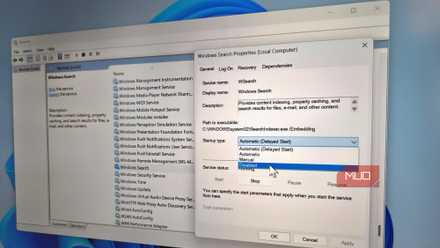
I disabled these Windows services Microsoft recommends – and everything works better
Not everything enabled by default is essential.
Microsoft’s latest update issue
April’s patch has been a rough one
The April update for Windows 11, KB5083769, has had quite a few serious issues so far. The latest one to crop up is affecting third-party backup software, including some big names — Macrium, Acronis, NinjaOne Backup, and UrBackup Server are known to be impacted so far.
Backups with affected tools are failing, and the issue appears to lie with Microsoft’s Volume Shadow Copy Service (VSS), which is widely used by backup apps. According to Acronis, failed backups throw an error message stating: “The backup has failed because Microsoft VSS has timed out during the snapshot creation.” The issue appears to be affecting both Windows 11 Home and Windows 11 Pro.
What to do if you’re affected
Uninstalling the update should fix things
If you find yourself affected, don’t panic. You can safely roll back the update to restore functionality. Here are the steps:
- Open up Settings and head to Windows Update > Update history.
- Under Related settings, select Uninstall updates.
- Find Security update for Microsoft Windows (KB5083769) and click the Uninstall button.
This should resolve the issue. You may also want to pause updates to ensure that it doesn’t reinstall itself. Here’s how to do that:
- Head back to Settings > Windows Update.
- Scroll down and find Pause updates.
- In the dropdown menu, select the desired time frame — from one to five weeks.
Pausing updates for a few weeks should hopefully give Microsoft time to sort out the issue. And while you’re in Settings, check your storage — you might be able to free some up easily.
Are Windows updates always this buggy?
Microsoft has really outdone itself this time
If you’re relatively new to Windows, all these problems may have you wondering if this is normal. In short: no. While there’s always the possibility of issues with Windows updates due to the complexity of the underlying software, they aren’t normally this bad. Between the backup issues, boot loops, and BitLocker problems, KB5083769 has been a bit of a mess, but hopefully the upcoming May security update brings things back to normal.
Have you encountered any issues with the April patch? If so, leave us a comment and let us know what you’ve run into.
