
Apple is preparing what insiders describe as a “slight redesign” for macOS 27, aiming to clean up the rough edges introduced with last year’s macOS 26 Tahoe—and frankly, it can’t come soon enough.
According to Bloomberg’s Mark Gurman, the upcoming changes will target the transparency effects and shadows that have made text-heavy interfaces harder to read since Tahoe launched. Anyone who has spent time in Control Center, Finder, or apps with dense sidebars knows what the problem looks like. Think glassy overlays that blur content rather than complement it, inconsistent corner radii across windows, and floating sidebar designs that sacrifice screen real estate for aesthetics.
A design that outpaced its hardware
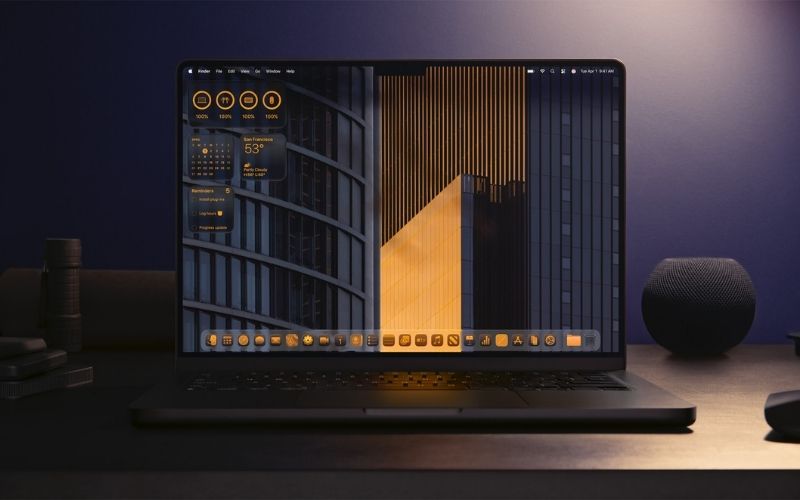
Part of the tension stems from a fundamental mismatch. Liquid Glass was conceived with OLED displays in mind—the kind you’ll find in modern iPhones, some iPads, and Apple Watches—where true blacks and high contrast make translucency effects pop. Most Macs still run LCD panels, which struggle to render the same depth and clarity that the design language demands. The MacBook Air’s design dates to 2022, the MacBook Pro and iMac to 2021. In a very real sense, macOS 26 arrived ahead of the hardware it was built for.
That said, blaming the LCD is something of a deflection. Apple’s designers work on Macs. They see the same displays their users do. The deeper issue, per Gurman’s sources, is that the implementation shipped before it was fully baked—not that the design concept itself was flawed. There’s a meaningful difference between those two things, though it’s cold comfort to anyone who has been squinting at Finder sidebars for the past year.
Not a rethink—a refinement
Apple is not abandoning Liquid Glass. The company sees the design language as the future of its platforms, especially with OLED MacBooks on the horizon and a more glass-centric iPhone that could arrive in 2027. The macOS 27 changes aim to refine Liquid Glass into the experience Apple’s design team envisioned from the start instead of the rough first version Apple rolled out earlier.
It’s a parallel Apple has navigated before. The company introduced iOS 7’s dramatic flat redesign in 2013, then spent the next year refining the experience in iOS 8. The foundation worked; the polish took longer. Whether that history feels reassuring or frustrating depends on how much patience you have for acting as a beta tester while Apple fine-tunes a live product.
Personally, I find the situation on my MacBook Air emblematic of the disconnect. The hardware is exceptional—fast, quiet, great to use. But Tahoe introduced enough visual friction that I’ve found myself going into Accessibility settings to reduce transparency just to make things legible again. That’s not where Apple wants its users, and it’s not where they should be.
What else macOS 27 will address
Beyond the visual cleanup, the update will bring bug fixes, battery life improvements, and performance enhancements. Areas that, for most users, matter more than which shade of frosted glass adorns the sidebar.
AI improvements will also feature, centered on a redesigned Siri with a standalone app, a more proactive assistant experience, and deeper integration of Apple Intelligence across the system. Apple will unveil everything at its annual Worldwide Developers Conference on June 8.
Safari gets smarter tab management
One practical addition coming to Safari across iOS 27, iPadOS 27, and macOS 27 is automatic tab grouping. Apple already offers Tab Groups—letting users manually sort tabs into collections for work, travel planning, and so on—but the new feature takes that a step further by organizing tabs automatically based on browsing patterns. A new “Organize Tabs” option in the tab switcher will let users opt into automatic grouping, with the system sorting tabs into topic clusters.
Chrome has offered this feature for years, and users gave it a mixed reaction—most people hate when a browser reshuffles tabs without permission. Apple still needs to prove whether its version handles the experience better, but the Cupertino company made the right call by keeping it optional instead of forcing it on everyone.
Vision Pro’s uncertain road ahead
Gurman’s report also clarifies Apple’s current spatial computing ambitions, and the picture looks sobering. Apple dissolved the Vision Products Group and redirected most of its engineering talent—including a large part of the visionOS team—toward Siri development. Mike Rockwell now leads a combined Siri and visionOS organization, though Siri work consumes almost all of his time.
This year’s visionOS 27 update focuses on performance, bug fixes, and feature parity with other Apple platforms instead of major new headset features. Apple is still at least two years away from another enclosed headset, and the company has cancelled the Vision Air project. Right now, Apple directs most of its spatial computing effort toward augmented reality glasses instead of another premium headset.
Apple’s executives, including incoming CEO John Ternus, were never enthusiastic about the Vision Pro in its current form. They see it as a stepping stone to the glasses, not a product with a clear mass-market future in its present incarnation.
The bigger picture
What emerges from all of this is a company in a familiar, if uncomfortable, position: having shipped ambitious software before it was fully ready, and now spending a full release cycle cleaning up the mess. The iOS 7 comparison Apple’s allies are reaching for is apt—but so is the criticism embedded in it. Users shouldn’t have to wait a year for software to work as advertised.
The good news is that the refinement effort for macOS 27 appears to be genuine and substantive rather than cosmetic. The bad news is that it required the public to serve as the quality assurance department for a year. For anyone sitting on macOS Sequoia and wondering whether to upgrade, June 8th should offer a clearer picture of what Apple has learned.
Grigor Baklajyan is a copywriter covering technology at Gadget Flow. His contributions include product reviews, buying guides, how-to articles, and more.
