You would think that the iPhone camera is better than most, given Apple’s reputation for making class-leading cameras now going on almost twenty years. Logic would have it that when compared to an older Android phone, like my 2022 Galaxy S22 Plus, the Galaxy would be inferior.
But thanks to a long pipeline of software updates and useful camera feature additions, my four-year-old Samsung outshines my iPhone 16 Pro in multiple areas. Not only do older Galaxy phones have the optics to keep up with even the latest iPhones (and within the world of Android, Galaxy phones still offer more versus other Android phones), but a suite of fantastic camera features and pro-level shooting tools makes taking photos and video on a Samsung Galaxy, even an older one, a remarkably versatile and professional experience.
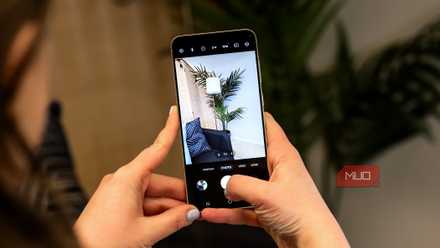
Single Take on Galaxy is fantastic
No need to decide between photo and video

Often you have to decide between taking a photo and a video. Not only that, but you have to pick between multiple lenses, whether ultrawide, regular, or telephoto, and it can become a distraction. Samsung’s SIngle Take feature totally solves this dilemma and eliminates shutter anxiety and is exclusive to Samsung Galaxy.
When you use Single Take (which you can access by going to the Camera app > More > Single Take), your camera takes multiple shots over a ten-second period, including video, and gives you an output that includes multiple camera angles and video clips.
It’ll even try to decide which content is best and stitch together a short montage clip of the scene with background music. It’s truly a delightful way to relive moments and the iPhone has nothing like this, unless you use a third-party app. With Single Take, you no longer have to think about which lens you’re using and if it’s best to take a photo or video.
Often you have to decide between taking a photo and a video. Samsung’s Single Take feature totally solves this dilemma.
Apple doesn’t go far enough

The iPhone has no Pro mode to allow you to have granular control over what Samsung lets you manually adjust. The list of adjustments is long, but Samsung lets you have granular control over ISO, shutter speed, white balance, metering mode and more. The iPhone only lets you tweak exposure compensation and focus lock.
And Samsung’s interface, even on old Galaxy phones like my S22 Plus here, is brilliant: you get large sliders to control all the various image settings, you can view a live histogram to better visualize the tonal distribution of the image (the balance of light versus dark parts), and more.
Samsung’s Pro shooting mode gives you the utmost in manual camera control (not to mention the Expert RAW app, which adds even more camera features, including the ability to capture 16-bit depth, which offers the ability to capture trillions of colors, plus the ability to customize portrait mode to get much closer to the background blur you’d get on a DLSR. To access Pro mode on a Galaxy, just go to the Camera app > More > Pro.
And then there’s shooting in RAW, which both phones can do. Shooting in RAW is a powerful tool for those who want maximum control over their images. Unlike a JPEG, a RAW file isn’t a finished photo; it is unprocessed data captured by the camera sensor.
When you edit a RAW file, the process is entirely non-destructive. Instead of changing the original pixels, your editing software creates a set of instructions within the file that changes how the data is displayed. This means you can adjust exposure, white balance, and contrast without degrading the image quality.
Because the original data remains untouched, you can indefinitely revert to the original state or tweak your edits at a later date without any permanent loss of detail. You can even edit RAW across multiple devices and pick up where you left off.
It gives you a lot of creative possibilities

While the iPhone recently introduced Cinematic Video on some of the Pro models, which lets you dial in some level of background blur on video, the results aren’t particularly useful because the phone makes most of the focusing decisions unless you actively tap the screen to constantly tell the phone what to focus on.
But Samsung’s Portrait Video mode is brilliant (from the Camera > tap more > Portrait Video). From there, you’ll want to point your camera at a focal point like a person, and then you can adjust the portrait video effect by pressing the circle icon in the bottom left. In either case, the phone will isolate the subject from the background and let you do some really cool things like colorize the subject and make the background monochrome (that’s called Colorpoint), or you can choose from multiple effects to blur the background within the video, like Big Circle or Blur. And unlike the iPhone, you can adjust the effect strength in almost every case to get just the right look.
The optical zoom on Galaxy is more practical
The iPhone’s 5x is too tight versus Samsung’s 3x
This might be a bit controversial. On most Pro iPhones, the default optical zoom is either 5x or 4x, which punches in way too far to take a zoomed-in shot that also gives you enough context of the surrounding area unless you physically take a step back. On the other hand, most recent Samsung Galaxy devices, like the S22, have a 3x optical zoom, which is the perfect amount of zoom to optically get closer to a subject without punching in too far.
In the above comparison, you can see the difference between the super tight 5x optical zoom of the iPhone 16 Pro (the image on the left) versus the wider view of the Galaxy S22’s 3x optical zoom. Sure, you can use digital zoom to get the detail you want, but that misses the point of using optical zoom to preserve quality.
Phone cameras should be about both image quality and versatility
Samsung gives you more

While Apple users enjoy a camera that takes spectacular photos and videos in most scenarios, it’s Samsung Galaxy users that get more, even on older phones, whether with Pro shooting tools, the versatility of Expert RAW, or just the fun and convenience of features like Portrait Video or Single Take. I have to say that while my iPhone 16 Pro “gets it right” more often than my S22 Plus, when I want the utmost in shooting versatility — and fun — my humble four-year-old Galaxy takes the crown.
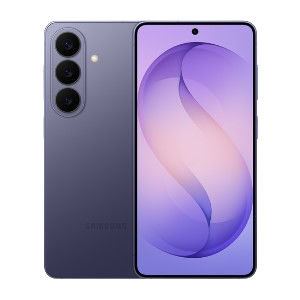
- SoC
-
Snapdragon 8 Elite Gen 5
- Display
-
6.3-inch Dynamic AMOLED 2x
